Apple Music,
in your menu bar.
Browse your albums in Cover Flow, build a queue and control playback — all from a frosted panel that drops down from the menu bar. Shift-click the icon to play or pause without even opening it.
Launching –d–h–m–s
Signed & notarized by Apple · v1.1
See it in motion.
Everything you need to play your music — wrapped in the system's Liquid Glass material.
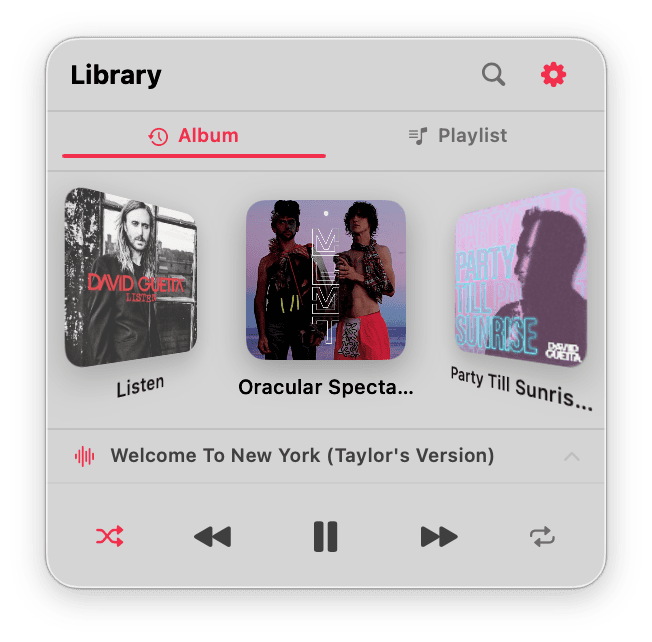
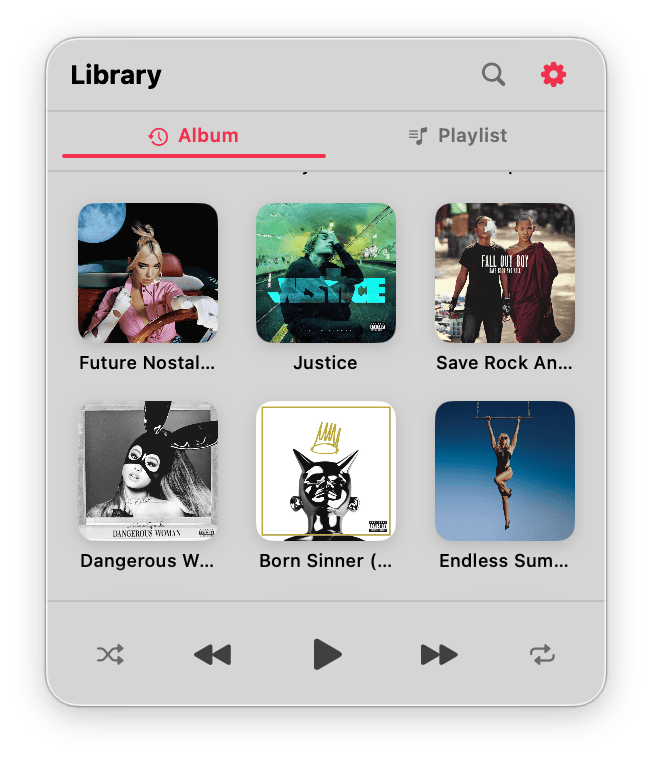
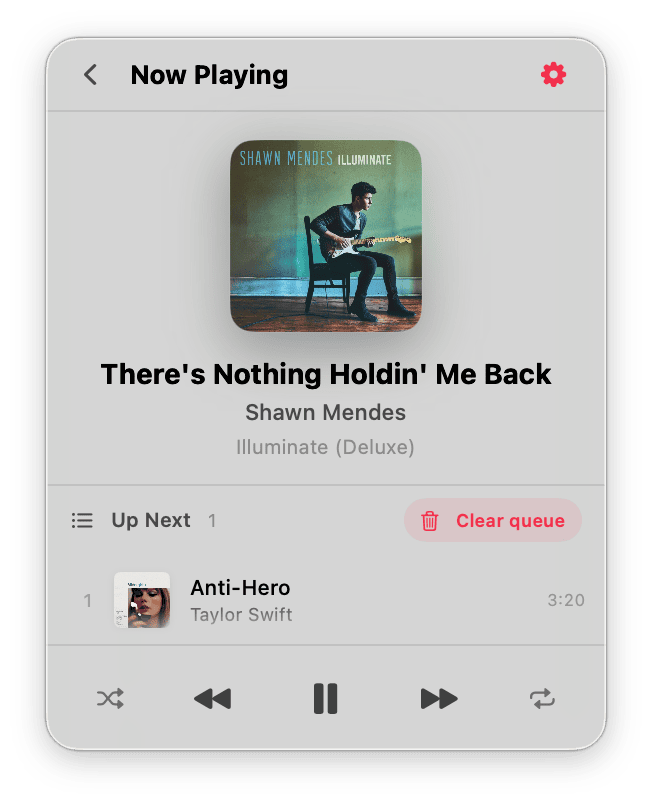

Cover Flow
Flip through your albums in a 3D carousel — the way music used to feel.
…or a clean grid
Prefer it simple? Switch to a tidy grid of covers in a single tap.
Now Playing
The current track full-size, with artwork and your “Up Next” queue — clear it whenever you like.
Make it yours
Flip the layout and launch at login — from a tidy settings panel.
Instant search
Type to search your whole library — songs, albums and playlists — filtered live by title or artist. Tap a song and it plays.
One-click toggle
Shift-click the menu bar icon to play or pause instantly — no panel, no window.
Build your queue
Shift-click any track to send it to Up Next, then clear the whole queue in a tap.
Adaptive Now Playing
A full now-playing view that glows with colors pulled from the album artwork.
Pin your favorites
Right-click any album or playlist to pin it to the top — just like Apple Music's Pins.
Clean install
Download it, drop in your key, done. Three steps and it's in your menu bar.
Download & install
Hit Download, open the .dmg and drag Toggle Music into your Applications folder.
Unlock with your key
No key yet? Hit Buy — it lands in your inbox in seconds. Open the app and paste it in to unlock.
Launch & grant access
Open the app and allow access to Apple Music. The note icon appears in your menu bar.
One price, yours to keep.
No subscription. Pay once, updates included.
- Cover Flow, grid & full-library search
- Queue & adaptive Now Playing
- Full menu-bar controls
- Pin albums & playlists to the top
- Free automatic updates
Not out yet — it lands June 16, 2026. Leave your name and email and I'll tell you the moment it's live.
The download is free — you buy a license key and paste it into the app to unlock it. Already bought? Just download — your key already works.
Questions? Get in touch.
Bug reports, feature ideas or anything else — drop a line and I'll get back to you.